Helping you before your schoolwork stalls

Author: khansen (Page 2 of 5)

SMART goal-setting (4.5)

If you’re finding it tough to get everything done, try setting SMART goals. This goal-setting method is very widely used, so you’re likely to encounter it when you join the work force. But it can help you manage your time here at college, too! Goal-setting can help you start SMART!
WHY TRY GOAL-SETTING?

HOW GOALS HELP. Setting clearly articulated goals helps you manage your time better by helping you think through what you need to do. Having goals also helps make you accountable to yourself, particularly when you use a method like SMART goals which encourages you to make your goals realistic and manageable.

WHAT DOES “SMART” MEAN? “SMART” is an acronym to help you remember the qualities of a well-set goal. The acronym stands for specific, measurable, achievable, relevant, and time-bound. If a goal has all of these characteristics, it’s much easier to know how to work toward achieving that goal. 

SPECIFIC. If a goal is too vague, you won’t really know how to reach it. Being specific makes it much more likely that you can develop a clear plan to achieve your goal. For example, “I’ll be a better student” isn’t a very specific goal. A more specific one would be “I’ll visit my professor in office hours to talk about the upcoming exam before I take that exam.”

MEASURABLE. You have to know when a goal has been reached, or else you might spend too much time working towards it. So, “I want to get faster at typing” isn’t helpful because it’s not measurable. So, if you measure your current typing speed — let’s say it’s 30 words per minute — you can set a measurable goal by aiming for steady improvement. A more measurable goal, then, is “I want to increase my typing speed to 35 words per minute by the end of this semester.” 

ACHIEVEABLE. Unrealistic goals can be really demotivating, because it’s unlikely that you can actually achieve them. A goal like “I’m going to become an Olympic skier” is out of reach for most people. But an achievable version of that goal could be: “I’m going to ski down Sugarloaf in less than 25 minutes by the time I’m a junior.” 

RELEVANT. Your goals should align with the goals of the course you’re taking. So, if a class focuses on skills in a computer language, it’s not really relevant to set a goal for that class in which you improve your typing speed (which doesn’t have any relationship to how well someone learns a new computer language).

TIME-BOUND. Without a clear deadline, most of us will procrastinate. To help avoid that, set a deadline for every goal that you create. Stick to it! It helps to put those goals in your planner or your digital calendar, as well. 

GOAL-SETTING TIPS 

SMALLER IS BETTER. If your goal is too big, it’s probably not specific enough. If you find that you have a really big goal, try breaking it down into smaller parts. Then, make sure your goal for each sub-part is a SMART goal.

KNOW WHAT’S ACHIEVABLE. It might not be realistic in some semesters to set a goal of getting A+ in every course. And that’s okay! Knowing what’s achievable can help you focus on getting the most out of each course.

TOOLS CAN HELP. Digital project management tools like ClickUP, Trello, or Asana have free plans, and can help you keep track of goals and planning steps.

FURTHER RESOURCES 

Lake Superior State University. SMART Goals Worksheet.

Purdue Global. “Goal-Setting Strategies and Worksheets.” 2022.

Stanford University. “How to Set SMART Goals for the Academic Year.” 2023.

University of Wisconsin-Madison, University Health Services. “How to Write SMART Goals That Actually Work.” 2025.

FACULTY FAUCET

There’s evidence to suggest that goal-setting can help students in higher education. Outcomes documented in using SMART goals include that they encourage students to start earlier on assignments and report that enjoy their assignments more!

Like encouraging goal-setting but don’t like the idea of using SMART goals in your courses? Some research suggests that goal-setting of any kind provides the same benefits as SMART goal setting.

Consider including goal-setting activities to help students effectively approach their work. Students can set goals for a project, for example, to help them plan more efficiently. The goal-setting taks can be given a “check” grade to minimize your grading time, or it can even  be something that’s not graded!
Joy of learning (4.4)

There’s joy in learning — yeah, we said it!! Focusing on the parts of your collegiate education that bring you joy is a good way to navigate the anxieties of the semester. Here are some suggestions about how to center joy in your learning activities, both now and in the future.

LEARNING FOSTERS JOY

RESILIENCE. Learning requires us all to try new things and expose ourselves to things that are unfamiliar. If you never stumble, you won’t feel challenged to persist (as University of Arizona researchers have shown). Knowing that you’ve persisted gives you the satisfaction of feeling resilient.

SELF-CONFIDENCE. The better educated you are, the more that you’ll know how much you have to offer. While at college, you’re consistently expanding your abilities, which should encourage you to feel more confident in your areas of expertise. Take confidence — and joy — in the fact that you’re able to build a strong knowledge foundation.

BROADENED PERSPECTIVE. You discover new views on the world through what you learn, and a broader view of the world and its possibilities is correlated with happiness. Go ahead, marvel at how full of fascinations this world is — it’ll help increase your joy!

ENHANCE THE JOY OF LEARNING 

LEAVE YOUR COMFORT ZONE. True learning expands you as a person. But if you always (or even generally) stay within your comfort zone, you are far less likely to experience real growth. So try to take reasonable academic risks — if you’re quiet, try to make one discussion contribution per class session, for example. Taking such risks can raise your self-esteem, make you feel more empowered, and equip yourself to embrace challenges and problem-solving more readily.

THINK ABOUT PURPOSE. Why are you learning what you’re learning? Yes, there are distribution requirements necessary for your degree, but what are the reasons that those requirements exist?

 Reflect on how required courses help round you out as a person, as well as how they may help you in a variety of professional contexts. 

But don’t stop there — think about how the courses in your major(s) and minor(s) give you skills and knowledge bases that are important. Make sure to contemplate not only how such courses will help you professionally, but also how these skills and sets of knowledge allow you to understand more about the world around you, personally.

BE CURIOUS. Ideally, college sets you up to be a successful lifelong learner. So, indulge your curiosity! Reflect on what is exciting about your major and minor course(s) of study, and think about what you want to explore further. This can deepen your passion for your studies, and it might also provide you with ideas for projects or research in future courses. 

If you’re excited about what you’re learning, and when you see how that learning is meaningful, you’re more likely to experience joy from it.

TEACH SOMEONE. Sharing what you learn (with friends, family or others) helps you solidfy your own understanding of material. But it can also give you a sense of accomplishment and meaning to expand the horizons of people you know. Teaching someone else useful or perspective-shifting  material is a great way to feel the energizing potential of learning.

FURTHER RESOURCES 

Brower, Tracy (2022). “Learning is a Sure Path to Happiness: Science Proves It.” Forbes.

Grand Canyon University. “The Secrets of the Happiest College Students.”

Library Student Team, “Podcast: Finding Joy as a Student.” Medium.

Tay, Özkan, and Tay (2009). “The Effect of Academic RiskTaking Levels on the Problem Solving Ability of Gifted Students.” Procedia – Social and Behavioral Sciences.

Wilson, Shenhav, Straccia, & Cohen (2019). “The 85% Rule for Optimal Learning.” Nature Communications.

FACULTY FAUCET

We know that students aren’t the only ones who need to be reminded of the joys of learning, so faculty, here are some ways to help you keep joy in your teaching. 

  • Eugene Korsunskiy from Dartmouth College has created and curated a set of “Joy Cards.” Each card provides an activity for you to try to help you and your students spark joy and foster a sense of classroom community. Find them at this link: https://tinyurl.com/TeachingJoyCards.
  • Want some other ways to increase joy in the classroom? A 9/19/25 Faculty Focus article entitled “From Lectures to Laughter: Strategies to Spark Joy in the Classroom” by Robin Wolpinksy suggests: 
    • creating novel, content-linked scavenger hunts using digital tools
    • using memes or relevant pop culture elements to reinforce class material
    • inviting students to contribute songs to a class playlist that you play before class begins to energize the classroom atmosphere

Mule Works (4.3)

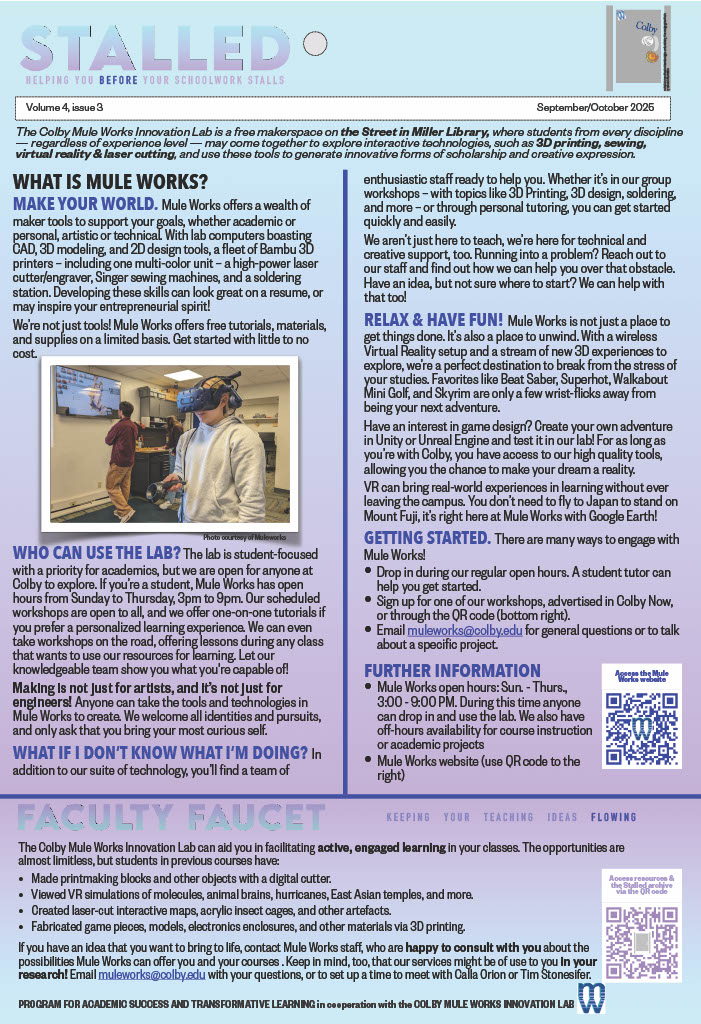
The Colby Mule Works Innovation Lab is a free makerspace on the Street in Miller Library, where students from every discipline — regardless of experience level — may come together to explore interactive technologies, such as 3D printing, sewing, virtual reality & laser cutting, and use these tools to generate innovative forms of scholarship and creative expression.

WHAT IS MULE WORKS?

MAKE YOUR WORLD. Mule Works offers a wealth of maker tools to support your goals, whether academic or personal, artistic or technical. With lab computers boasting CAD, 3D modeling, and 2D design tools, a fleet of Bambu 3D printers – including one multi-color unit – a high-power laser cutter/engraver, Singer sewing machines, and a soldering station. Developing these skills can look great on a resume, or may inspire your entrepreneurial spirit! 

We’re not just tools! Mule Works offers free tutorials, materials, and supplies on a limited basis. Get started with little to no cost.

WHO CAN USE THE LAB? The lab is student-focused with a priority for academics, but we are open for anyone at Colby to explore. If you’re a student, Mule Works has open hours from Sunday to Thursday, 3pm to 9pm. Our scheduled workshops are open to all, and we offer one-on-one tutorials if you prefer a personalized learning experience. We can even take workshops on the road, offering lessons during any class that wants to use our resources for learning. Let our knowledgeable team show you what you’re capable of!

Making is not just for artists, and it’s not just for engineers! Anyone can take the tools and technologies in Mule Works to create. We welcome all identities and pursuits, and only ask that you bring your most curious self.

WHAT IF I DON’T KNOW WHAT I’M DOING

In addition to our suite of technology, you’ll find a team of enthusiastic staff ready to help you. Whether it’s in our group workshops – with topics like 3D Printing, 3D design, soldering, and more – or through personal tutoring, you can get started quickly and easily.

We aren’t just here to teach, we’re here for technical and creative support, too. Running into a problem? Reach out to our staff and find out how we can help you over that obstacle. Have an idea, but not sure where to start? We can help with that too!

RELAX & HAVE FUN! Mule Works is not just a place to get things done. It’s also a place to unwind. With a wireless Virtual Reality setup and a stream of new 3D experiences to explore, we’re a perfect destination to break from the stress of your studies. Favorites like Beat Saber, Superhot, Walkabout Mini Golf, and Skyrim are only a few wrist-flicks away from being your next adventure.

Have an interest in game design? Create your own adventure in Unity or Unreal Engine and test it in our lab! For as long as you’re with Colby, you have access to our high quality tools, allowing you the chance to make your dream a reality.

VR can bring real-world experiences in learning without ever leaving the campus. You don’t need to fly to Japan to stand on Mount Fuji, it’s right here at Mule Works with Google Earth!

GETTING STARTED. There are many ways to engage with Mule Works!

  • Drop in during our regular open hours. A student tutor can help you get started.
  • Sign up for one of our workshops, advertised in Colby Now, or through the QR code (bottom right).
  • Email [email protected] for general questions or to talk about a specific project.

FURTHER INFORMATION 

  • Mule Works open hours: Sun. – Thurs., 3:00 – 9:00 PM. During this time anyone can drop in and use the lab. We also have off-hours availability for course instruction or academic projects
  • Mule Works website (use QR code to the right)

FACULTY FAUCET

The Colby Mule Works Innovation Lab can aid you in facilitating active, engaged learning in your classes. The opportunities are almost limitless, but students in previous courses have:

  • Made printmaking blocks and other objects with a digital cutter.
  • Viewed VR simulations of molecules, animal brains, hurricanes, East Asian temples, and more.
  • Created laser-cut interactive maps, acrylic insect cages, and other artefacts.
  • Fabricated game pieces, models, electronics enclosures, and other materials via 3D printing.

If you have an idea that you want to bring to life, contact Mule Works staff, who are happy to consult with you about the possibilities Mule Works can offer you and your courses . Keep in mind, too, that our services might be of use to you in your research! Email [email protected] with your questions, or to set up a time to meet with Calla Orion or Tim Stonesifer. 

Spaced practice (4.2)

We get it — a lot of people cram. But did you know that research indicates that cramming does not help you remember information in the long term? Instead, try spaced practice, which helps you remember concepts and information in a more long-lasting way. And it prevents you from engaging in unhealthy all-night cram sessions!

WHAT IS SPACED PRACTICE?

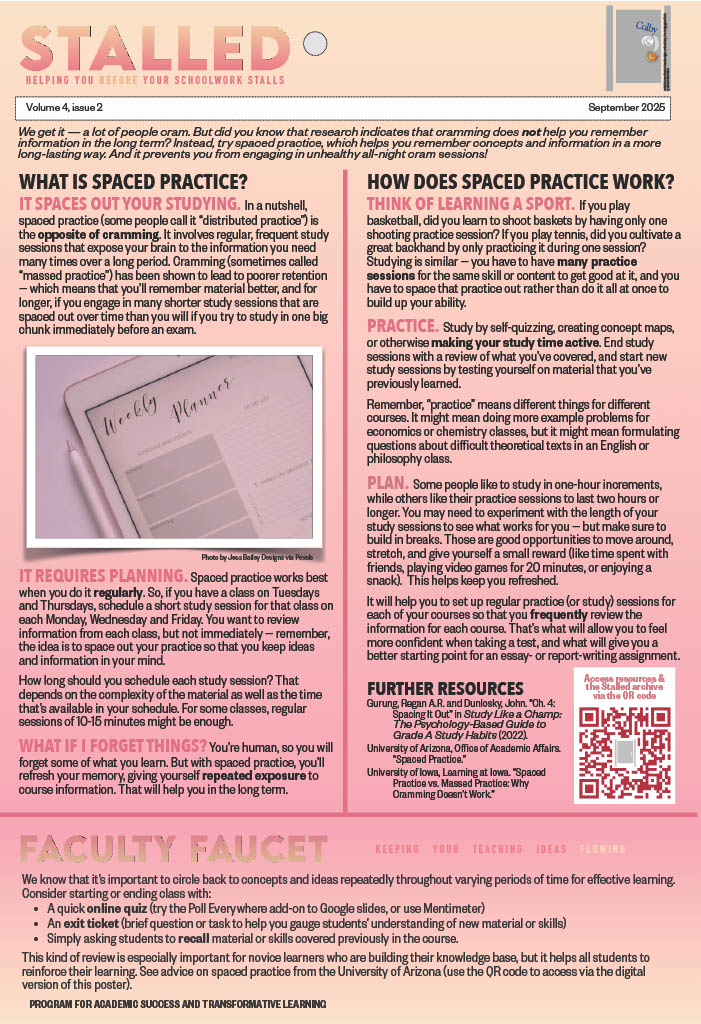
IT SPACES OUT YOUR STUDYING. In a nutshell, spaced practice (some people call it “distributed practice”) is the opposite of cramming. It involves regular, frequent study sessions that expose your brain to the information you need many times over a long period. Cramming (sometimes called “massed practice”) has been shown to lead to poorer retention — which means that you’ll remember material better, and for longer, if you engage in many shorter study sessions that are spaced out over time than you will if you try to study in one big chunk immediately before an exam.

IT REQUIRES PLANNING. Spaced practice works best when you do it regularly. So, if you have a class on Tuesdays and Thursdays, schedule a short study session for that class on each Monday, Wednesday and Friday. You want to review information from each class, but not immediately — remember, the idea is to space out your practice so that you keep ideas and information in your mind. 

How long should you schedule each study session? That depends on the complexity of the material as well as the time that’s available in your schedule. For some classes, regular sessions of 10-15 minutes might be enough.

WHAT IF I FORGET THINGS? You’re human, so you will forget some of what you learn. But with spaced practice, you’ll refresh your memory, giving yourself repeated exposure to course information. That will help you in the long term.

HOW DOES SPACED PRACTICE WORK?

THINK OF LEARNING A SPORT. If you play basketball, did you learn to shoot baskets by having only one shooting practice session? If you play tennis, did you cultivate a great backhand by only practicing it during one session? Studying is similar — you have to have many practice sessions for the same skill or content to get good at it, and you have to space that practice out rather than do it all at once to build up your ability. 

PRACTICE. Study by self-quizzing, creating concept maps, or otherwise making your study time active. End study sessions with a review of what you’ve covered, and start new study sessions by testing yourself on material that you’ve previously learned.

Remember, “practice” means different things for different courses. It might mean doing more example problems for economics or chemistry classes, but it might mean formulating questions about difficult theoretical texts in an English or philosophy class.

PLAN. Some people like to study in one-hour increments, while others like their practice sessions to last two hours or longer. You may need to experiment with the length of your study sessions to see what works for you — but make sure to build in breaks. Those are good opportunities to move around, stretch, and give yourself a small reward (like time spent with friends, playing video games for 20 minutes, or enjoying a snack).  This helps keep you refreshed.

It will help you to set up regular practice (or study) sessions for each of your courses so that you frequently review the information for each course. That’s what will allow you to feel more confident when taking a test, and what will give you a better starting point for an essay- or report-writing assignment.

FURTHER RESOURCES 

Gurung, Regan A.R. and Dunlosky, John. “Ch. 4: Spacing It Out” in Study Like a Champ: The Psychology-Based Guide to Grade A Study Habits (2022).

University of Arizona, Office of Academic Affairs. “Spaced Practice.”

University of Iowa, Learning at Iowa. “Spaced Practice vs. Massed Practice: Why Cramming Doesn’t Work

FACULTY FAUCET

We know that it’s important to circle back to concepts and ideas repeatedly throughout varying periods of time for effective learning. Consider starting or ending class with:

  • A quick online quiz (try the Poll Everywhere add-on to Google slides, or use Mentimeter)
  • An exit ticket (brief question or task to help you gauge students’ understanding of new material or skills)
  • Simply asking students to recall material or skills covered previously in the course. 

This kind of review is especially important for novice learners who are building their knowledge base, but it helps all students to reinforce their learning. See advice on spaced practice from the University of Arizona (use the QR code to access via the digital version of this poster).

Note-taking strategies (4.1)

Note-taking can be a way for you to process course content. Notes taken in class can also be a tool to help you check your understanding of key information — if you have questions or confusions, record them in your notes, and then use them when attending office hours as a way to organize questions you have for your professor.

IN-CLASS NOTE-TAKING AIDS 

TOOLS. Whether you take notes digitally or by hand, use highlighters to flag key points. Then, using a different color, highlight things that confuse you or about which you need more information. Being consistent (using the same color for “key points” in all your notes) makes it easier to find info later.

If you take notes digitally, familiarize yourself with the highlighting/color tools of your software before using it in class. If you take notes by hand, bring highlighters (ideally of at least 2 colors) to each class session.

JUST ASK! While not writing every word that your prof says is a good start, different classes necessitate different note-taking approaches. Ask your professors — and if you have them, Learning Assistants or Teaching Assistants — about useful strategies for note-taking in each specific course.

NOTE-TAKING METHODS

ALL-PURPOSE NOTES. There’s already been a Stalled poster on the Cornell Method, which is a useful all-purpose note-taking method. Other methods include:

  • Outline method: Taking notes in outline form. This method has you identifying main ideas, supporting points, and examples/details, and indenting the support and examples/details under each main idea.
  • Writing on slides: When your professor provides slides ahead of time, taking notes on (paper or digital copies of) the slides can help you capture details effectively because key ideas are already provided for you.

NOTES FOR SPECIFIC PURPOSES. Some classes require different approaches to notes, including:

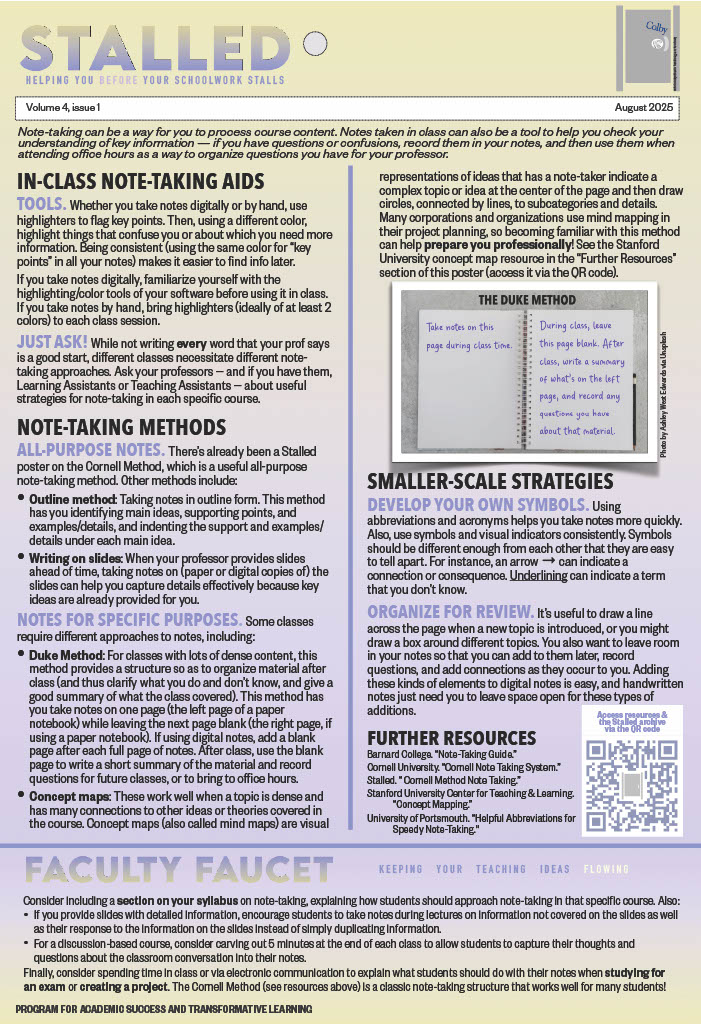
  • Duke Method: For classes with lots of dense content, this method provides a structure so as to organize material after class (and thus clarify what you do and don’t know, and give a good summary of what the class covered). This method has you take notes on one page (the left page of a paper notebook) while leaving the next page blank (the right page, if using a paper notebook). If using digital notes, add a blank page after each full page of notes. After class, use the blank page to write a short summary of the material and record questions for future classes, or to bring to office hours.
  • Concept maps: These work well when a topic is dense and has many connections to other ideas or theories covered in the course. Concept maps (also called mind maps) are visual representations of ideas that has a note-taker indicate a complex topic or idea at the center of the page and then draw circles, connected by lines, to subcategories and details. Many corporations and organizations use mind mapping in their project planning, so becoming familiar with this method can help prepare you professionally! See the Stanford University concept map resource in the “Further Resources” section of this poster (access it via the QR code).

SMALLER-SCALE STRATEGIES

DEVELOP YOUR OWN SYMBOLS. Using abbreviations and acronyms helps you take notes more quickly. Also, use symbols and visual indicators consistently. Symbols should be different enough from each other that they are easy to tell apart. For instance, an arrow → can indicate a connection or consequence. Underlining can indicate a term that you don’t know.

ORGANIZE FOR REVIEW. It’s useful to draw a line across the page when a new topic is introduced, or you might draw a box around different topics. You also want to leave room in your notes so that you can add to them later, record questions, and add connections as they occur to you. Adding these kinds of elements to digital notes is easy, and handwritten notes just need you to leave space open for these types of additions.

FURTHER RESOURCES 

Barnard College. “Note-Taking Guide.”

Cornell University. “Cornell Note Taking System.”

Stalled. “ Cornell Method Note Taking.”

Stanford University Center for Teaching & Learning. “Concept Mapping.”

University of Portsmouth. “Helpful Abbreviations for Speedy Note-Taking.”

FACULTY FAUCET

Consider including a section on your syllabus on note-taking, explaining how students should approach note-taking in that specific course. Also: 

  • If you provide slides with detailed information, encourage students to take notes during lectures on information not covered on the slides as well as their response to the information on the slides instead of simply duplicating information. 
  • For a discussion-based course, consider carving out 5 minutes at the end of each class to allow students to capture their thoughts and questions about the classroom conversation into their notes. 

Finally, consider spending time in class or via electronic communication to explain what students should do with their notes when studying for an exam or creating a project. The Cornell Method (see resources above) is a classic note-taking structure that works well for many students!

Preparing to come to Colby (digital-only edition)

Welcome to Colby! And welcome to “Stalled,” a poster series that provides suggestions to help you maximize your academic success. Why is it called “Stalled?” We hope to give you advice before your schoolwork stalls. Also, you’ll find these posters in the bathrooms stalls of academic buildings several times each semester! 

PREPARING TO COME TO COLBY 

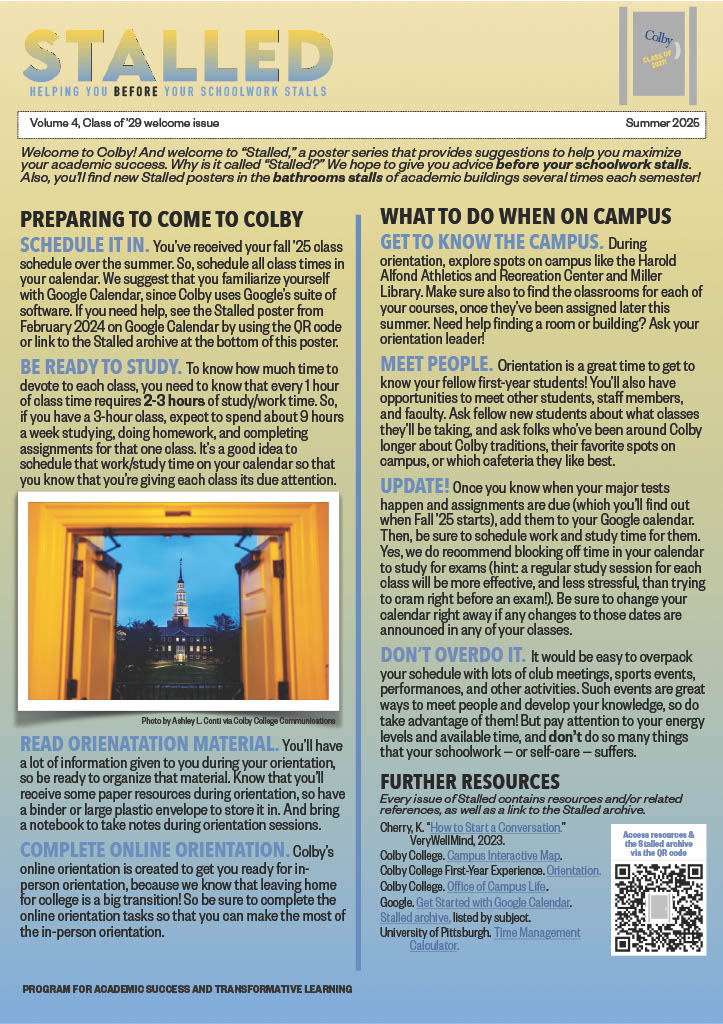
SCHEDULE IT IN. You’ve received your Fall ’25 class schedule over the summer. So, schedule all class times in your calendar. We suggest that you familiarize yourself with Google Calendar, since Colby uses Google’s suite of software. If you need help, see the Stalled poster from February 2024 on Google Calendar by using the QR code or link to the Stalled archive at the bottom of this poster.

BE READY TO STUDY. To know how much time to devote to each class, you need to know that every 1 hour of class time requires 2-3 hours of study/work time. So, if you have a 3-hour class, expect to spend about 9 hours a week studying, doing homework, and completing assignments for that one class. It’s a good idea to schedule that work/study time on your calendar so that you know that you’re giving each class its due attention. 

READ ORIENATATION MATERIAL. You’ll have a lot of information given to you during your orientation, so be ready to organize that material. Know that you’ll receive some paper resources during orientation, so have a binder or large plastic envelope to store it in. And bring a notebook to take notes during orientation sessions.

COMPLETE ONLINE ORIENTATION. Colby’s online orientation is created to get you ready for in-person orientation, because we know that leaving home for college is a big transition! So be sure to complete the online orientation tasks so that you can make the most of the in-person orientation.

WHAT TO DO WHEN ON CAMPUS

GET TO KNOW THE CAMPUS. During orientation, explore spots on campus like the Harold Alfond Athletics and Recreation Center and Miller Library. Make sure also to find the classrooms for each of your courses, once they’ve been assigned later this summer. Need help finding a room or building? Ask your orientation leader!

MEET PEOPLE. Orientation is a great time to get to know your fellow first-year students! You’ll also have opportunities to meet other students, staff members, and faculty. Ask fellow new students about what classes they’ll be taking, and ask folks who’ve been around Colby longer about Colby traditions, their favorite spots on campus, or which cafeteria they like best.

UPDATE! Once you know when your major tests happen and assignments are due (which you’ll find out when Fall ’25 starts), add them to your Google calendar. Then, be sure to schedule work and study time for them. Yes, we do recommend blocking off time in your calendar to study for exams (hint: a regular study session for each class will be more effective, and less stressful, than trying to cram right before an exam!). Be sure to change your calendar right away if any changes to those dates are announced in any of your classes.

DON’T OVERDO IT.It would be easy to overpack your schedule with lots of club meetings, sports events, performances, and other activities. Such events are great ways to meet people and develop your knowledge, so do take advantage of them! But pay attention to your energy levels and available time, and don’t do so many things that your schoolwork — or self-care — suffers.

FURTHER RESOURCES 

Every issue of Stalled contains resources and/or related references, as well as a link to the Stalled archive.

Cherry, K. “How to Start a Conversation.” VeryWellMind, 2023. 

Colby College. Campus Interactive Map.

Colby College First-Year Experience. Orientation.

Colby College. Office of Campus Life. 

Google. Get Started with Google Calendar.

Stalled archive, listed by subject.

University of Pittsburgh. Time Management Calculator.

Group presentations (3.12)

Successful presentations involve a lot of planning and careful thought, and presenting in groups offers some additional challenges. These suggestions on planning and execution can help enhance your next group presentation. And be sure to schedule time for the whole group to practice at least 2 full run-throughs!

GROUP PRESENTATION PLANNING

CLEARLY DELEGATE TASKS. Every presentation should be carefully planned, but planning takes on added importance when you’re working in a group. One way to allocate tasks fairly is to create a shared planning document.Using a platform like Google Docs allows all members of the group access to the same document. 

On this document, list all tasks that must be undertaken to complete the creation of the presentation. Be specific, and include everything from research and the creation of tables and figures to slide creation and editing. Specify the different parts of the presentation, and allocate the tasks as fairly as you can, based on equality of workload and taking into account different skills and interests. Indicate the name of the person who will complete each task, and create a column with checkboxes to indicate when a task is done. If a task has to be completed by a certain date, indicate that date on the same document (a table is a good format in which to create this list).

Keeping a shared planning document helps everyone know the progress of all parts of the presentation. Additionally, if anyone becomes sick, or if the initial allocation of tasks demanded more work of some group members, this document will allow the group to re-allocate tasks when/if needed. 

Remember, too, that all group members should speak for roughly the same amount of time (unless the instructor specifies otherwise), so you’ll need to divide up the speaking roles for the group members fairly.

VISUAL UNITY. Before anyone creates any slides for the presentation (if the presentation will have visuals), decide as a group on what the slides should look like. Aim for consistency across all of the slides. Together, decide:

  • Is there a shared template that everyone should use, and if so, does everyone have access to it?
  • What color palette will the group use? If figures need to be created, make sure the people creating them know what colors should be used.
  • About how much text should appear on any one slide? Remember not to crowd the slides with too much text.
  • If animations are used, which type(s)?
  • What font will the group use?
  • Will the group use a particular kind of illustration style (icons, background, photographs, other)?

PRESENTING IN A GROUP

HANDOFFS. How will you transition from one speaker to the next? You might simply memorize the last line that the speaker before you says. Alternatively, you might mention the next presenter by name as a way to cue them (e.g. “Next, Emma will provide an overview of this theory’s development throughout the 19th century”). Make sure all group members know the plan.

PRACTICE TOGETHER. Practice together as a group, completing at least 2 full run-throughs of the presentation (more, if you have the time). This will let you see how the different slides work together, and you will practice how transitions work between speakers. Practicing will also allow you to decide how to advance the slides — will each person advance their own slides?

NON-SPEAKING TIME. Where will you stand when you are not speaking? Make sure that no one blocks the projected slides, either when they’re presenting or when they’re not. Ensure that you direct your attention to whomever is speaking so that you’re a supportive group member, too. When practicing, plan out where you’ll stand so that moving when changing speakers will go smoothly during the actual talk.

FURTHER RESOURCES 

Hamilton College Oral Communication Center. “Presenting in a Group.”

University of Texas at San Antonio. “5 Tips for a Group Presentation.”

Wharton School of Business, University of Pennsylvania. “Tips for Team Presentations.”

Workday Student (3.11)

As the Colby community transitions to Workday Student, there are many opportunities to find support. And remember: staying in contact with your academic advisor(s) will help you as we pivot to Workday Student! Navigate here for help (it’s where the QR code below takes you):  web.colby.edu/workdaystudent/resources

WORKDAY STUDENT: FOR STUDENTS

WHAT IS WORKDAY STUDENT? Workday is a modern platform that Colby already utilizes for Finance and Human Resources. In 2025, Colby is transitioning to Workday also being our student information, billing, and course registration system.

WHAT DO I NEED TO DO? There are a few steps that all students enrolling at Colby for Fall ’25 need to complete:

  • Starting April 7, log into Workday from myColby or Okta. 
  • Familiarize yourself with your Student Profile.
  • Complete student Onboarding tasks will be delivered to your Workday “My Tasks” (indicated by the “Start Here” icon in the image below); check your inbox regularly to ensure you’ve completed all tasks.
  • Explore Fall ’25 course sections for registration offerings, build your 1st-choice Saved Schedule, build alternate schedules (back-up Saved Schedules), and meet with your advisor to review your Fall choices.
  • Register when your Registration Appointment opens.

HOW CAN I GET HELP WITH WORKDAY? There are info sessions and office hours to assist you, and there is no sign-up required to get this support. Office hours support is hosted every day April 14 – May 9 at lunch in the Silberman Lounge in the Cotter Union. More information about additional sessions can be found via the QR code to the right. You can also access how-to guides, videos, and FAQs there! Note: if you’re graduating in May ’25, you will not be using Workday Student.

WORKDAY STUDENT: FOR FACULTY & STAFF

HOW CAN I GET STARTED?Edit your search category preferences in Workday to include the STUDENT category. Monitor your “My Tasks” inbox to ensure all incoming tasks and requests have been completed.

HOW CAN FACULTY/STAFF SUPPORT FALL ’25 REGISTRATION? Familiarize yourself with the Faculty/Staff Academics dashboard. Review your advisees’ Saved Schedules for Fall ’25. Complete academic requests (e.g., prerequisite override requests) when they come into your Workday “My Tasks” inbox.

WHEN IS ALL THIS HAPPENING? 

April 7-18: Advising for Fall ’25; students get access to Workday and should explore its functions

April 21-25: Registration for Fall ’25; students use Workday to sign up for their fall classes

Afterward, students make changes to Fall ’25 course selections if desired. Advisors and instructors can also use the office hours listed earlier in this poster for help with Workday Student.

TRAINING & SUPPORT. For faculty & staff:

  • Training sessions are available in person & via Zoom. The full listing is available via the QR code below; add any session to your calendar and join us!
  • Come to office hours support in the Silberman Lounge any day April 14-May 9 at lunch. Additional sessions found on the training page (use the QR code below).
  • Check out the Workday Student Resources site via the QR code below or via web.colby.edu/workdaystudent/resources
  • Call or email the Help Desk (207-859-4222 |[email protected]).

The Colby Museum (3.10)

The Colby Museum boasts a world-class collection of American art, and offers students a range of opportunities to get involved in the arts. You might visit the museum as part of a class, independently, or as part of a club/other organization, and there are lots of other ways to take advantage of what this unique resource offers, regardless of your major. For more information, email: [email protected]

VISITING THE MUSEUM 

IN A CLASS. Many courses hold a class session in the Museum, during which you’ll learn to look at objects carefully and for a sustained amount of time. But that’s not all you’re expected to do when you visit.

To engage sincerely with the artworks, you’ll also need to be ready to talk. When you visit with a class, don’t expect long lectures. Instead, be ready to discuss the observations, ideas, and impressions that the artworks raise. The Colby Museum of Art is a space of learning, exploration, and engagement. Your active contributions help create connections between the museum collection and Colby College’s curriculum.

OTHER VISITS. Students (and staff and faculty) are always welcome to visit the Colby Museum. What’s more, you’re also welcome to contact the folks who work at the museum if you’d like help with a project or research, whether it’s for a class or whether it’s an independent project that you’re pursuing. 

The Colby Museum of Art is also excited to work with clubs or student organizations through the Campus Collaboration Initiative. 

And did you know that you’re also welcome to use lobby tables to do your homework? Many students appreciate studying in the museum and taking study breaks to appreciate the exhibitions and artwork on display. Since the museum also has a café cart, it’s pretty much a full-service study space!

PROFESSIONAL OPPORTUNITIES

The museum’s professional opportunities are available to students in any major, and have no prerequisites.

COLBY MUSEUM STUDENT BOARD. The Colby Museum or Art celebrates and relies upon student input, and spots are available every year on the museum’s student board. This leadership opportunity allows your voice to shape the developments of the museum, and takes only about 10-15 hours per semester.

WELCOME DESK WORKERS. If you want to hone your skills with customer service, visitor experience, communication, and more, this paid position is ideal. Applications are accepted each year, and the hours can be arranged around your class schedule.

INTERNSHIPS. Museum interns are embedded within one of the departments in the museum (Curatorial, Exhibitions, etc.) during a spring or fall semester. Interns are usually hired in the fall for a full academic year, but some opportunties may be posted in spring semesters.

SUMMER WORKERS. Paid positions are available at the museum over the summer that include on-campus housing. Summer student worker openings include departments like Curatorial, Engagement, Development, and Exhibitions/Publications. The summer program hosts a robust cohort program that provides first-hand insight into museums. It includes field trips to museums around Maine and exposes students to impactful, timely issues pertinent to the art world through a Reading Lab series. 

FURTHER RESOURCES 

Colby Museum of Art.

Colby Museum of Art. Guidelines for Class Visits.

Colby Museum of Art Internship program. 

Colby Museum of Art Welcome Desk Attendant program.

The Teagle Foundation. Teaching and Learning with Museum Exhibitions

The Research Lifecycle (3.9)

Across your courses and in your own personal time, you’ve conducted research to explore varied issues and answer complex questions. While each experience of research is unique, there is a general process to follow to ensure your quest for information is thorough, manageable, and reliable. That process is the research lifecycle.

THE RESEARCH LIFECYCLE

STEP 1: PLAN. When starting a research project, read your assignment carefully to understand any requirements or limitations present. Consider how its purpose, timeline, and deliverables may determine what is possible for you to accomplish. The sooner you determine a reasonable scope of work, the better.

Once you’ve figured out what’s expected of you, take time to explore possible topics. Research is a time to seek out what you don’t know. Think of your topic as a landscape to explore, where you can iterate and innovate as you learn more.

STEP 2: REFINE. Refining your research is a chance to find your place in the scholarly conversation and experiment with a variety of search strategies. Reference sources and the Libraries’ subject guides can spark new ideas, provide contextual information, and help identify effective search terms.

Evaluate existing scholarship on your topic. Where do writers agree? Disagree? Can you see gaps in understanding? This analysis can guide your search and clarify your stance on a topic. Synthesize evidence and arguments with your own ideas to show your unique perspective, and credit the labor and ideas of others through proper attribution. A citation management tool like Zotero can make this a more organized process. As you continue to distill your ideas, consult with a subject librarian to further develop your search plan.

STEP 3: SHARE.An important part of doing research is sharing what you’ve learned! Sharing can take many forms – papers, posters, or presentations. Colby offers several opportunities for sharing research beyond just your class, like the Colby Liberal Arts Symposium and Colby-affiliated student journals. Although sharing your research can seem daunting, it allows you to gain valuable skills in public speaking, peer review, visual design, accessibility, networking, and community engagement.

STEP 4: PRESERVE.  In addition to submitting work to your professor, you should archive your project for the long term. You never know when you may want to revisit your past work. Preservation can be as simple as printing and storing a physical copy of a paper or depositing a digital version of your project in Colby’s institutional repository, Digital Commons. More complex preservation efforts could require converting file formats, creating standardized metadata, and putting in place secure access controls.

CONCLUSION. The research lifecycle can be described in four steps: Plan, Refine, Share, and Preserve. Each phase is critical to the process, and the Libraries are here to help you at every stage. From finding your place in the research conversation to sharing your work with the wider community, we can’t wait to help you get started on your research journey! If you have questions or would like to learn more, you can always email [email protected]. 

FURTHER RESOURCES 

Colby College Libraries homepage.

Colby College list of subject librarians.

Colby College Libraries Zotero guide.

University of Colorado Center for Research Data & Digital Scholarship. “The Research Lifecycle.”

« Older posts Newer posts »

© 2026 Stalled

Theme by Anders Noren — Up ↑