By Serena Desai
This is an ongoing blog series. To view my other posts about this text’s Introduction, Origin, Additions, and Use, click the links below:
Introduction to the Text: http://web.colby.edu/bookhistory2020/2020/02/20/decoding-the-codex-the-calendarium-historicum-conscriptum/
Origins of the Text: http://web.colby.edu/bookhistory2020/2020/03/04/paul-eber-challenging-roman-catholicism-using-his-calendarium-historicum/
Additions to the Text: http://web.colby.edu/bookhistory2020/2020/03/29/a-diary-or-an-encyclopedia-how-paratext-defines-ebers-calendarium-historicum-conscriptum/
Use of the Text: http://web.colby.edu/bookhistory2020/2020/04/29/4037/
________________________________________________________
From 3-D to 2-D: Digital Adaptations of Eber’s Calendarium Historicum Conscriptum
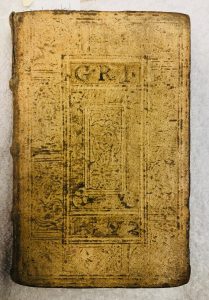
To access Paul Eber’s 1559 copy of Calendarium Historicum Conscriptum held in the Colby College Special Collections Library, one must arrive at the library during its open hours, request Pat Burdick or another librarian to fetch the book from its shelf, rub some sanitizer on his/her hands before touching the text’s pages, and glean as much information as possible from the text within the thirty to forty-minute period during which the book is in one’s possession. Though I have been studying the Calendarium since February of 2020, the amount of time that I have spent physically holding it in my hands only adds to about two or three hours; the rest of my time spent staring at the text’s pages occurs through the screen of my phone or computer. Accessing digital surrogates of texts has become increasingly more important as the world suffers from a global health pandemic resulting in the indefinite shutdown of libraries across the globe. With a laptop or phone and some access to WiFi, millions of books are still accessible to students and scholars in all disciplines, including antiquarian texts such as Eber’s Calendarium– thanks to digital facsimiles and online catalogues.
Despite the fact that this reformed copy of the Roman Catholic “Saint of the Day” calendar is available in dozens of versions on Google Books, the National Library of Israel website, the Bayerische Staats Bibliothek Digital platform, the Princeton University catalogue, the State Library of New South Wales website, and a plethora of other sources, one could argue that accessibility is not the only factor that changes the reading experience of Paul Eber’s sixteenth-century work. While online surrogates of the text contain navigation tools, magnifying features, and detailed catalogue entries that explain the provenance of the book, the orientation of books as they were scanned oftentimes creates digital errors that impede viewers from examining the book’s binding, wear, margin size, and a myriad of other crucial paratextual elements.
On the Available Surrogates for the Calendarium
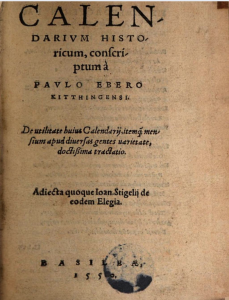
As I have concluded in my blog post on this text’s origins, this text was likely printed dozens, if not hundreds of times throughout the mid sixteenth century, likely as a result of Protestant scholars’ efforts to increase the accessibility of their works to populations throughout Europe during the height of the Reformation. For this reason, at least five to ten online adaptations of the Calendarium exist online, and can be accessed without hitting a paywall. The first few entries to appear upon searching up the title of the text are from Google Books— a platform that contains scanned copies of three or four versions of Eber’s text. The one that I have been using throughout my Pet Book Project (a facsimile of the text from 1550) has a black-and-white general title page, but the rest of the text is in full color, allowing me to identify the ink and water stains that appear on nearly every page.
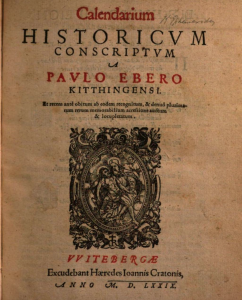
The other three (the first of which was printed in 1579 by Johannes Krafft, the second printed in 1559 by George Rhau, and the third printed in 1549 by George Rhau), also appear in color, making it quite easy to identify which prints include red ink and which just exhibit black type. Another two full-length facsimiles of the Calendarium appear on the “Bayerische StaatsBibliothek Digital” site, which contains a copy of the text from 1566 and another from 1573. While the former scan is in complete color, the second is merely a “PDF Scan,” meaning that while it does designate between red and black ink, the yellow-brown color of each page is not visible to viewers.
As for the rest of the facsimiles, many require a subscription to the library catalogues that showcase them, such as the Princeton University and New South Wales online sites. Other web-pages include short descriptions of the text, along with various pieces of information about its provenance, but do not allow scholars or students to view the book unless they visit the library in person.
*Note About HathiTrust: Throughout the course of my Pet Book Project, I have tried on numerous occasions to search for “Paulo Ebero,” “George Rhau,” and the “Calendarium Historicum Conscriptum” on HathiTrust; however, most of my searches have not yielded any results (aside from some entries that came up under Rhau’s name). Any information that I have gained about the Calendarium from HathiTrust has come from searches on Rhau alone, as all of the different modifications of Paul Eber’s name come up with 0 results. Part of the problem may be the fact that this book was produced on the early side of HathiTrust’s collection (which runs from 1500 to present day). Most of the calendaris on the site have been published from the eighteenth to twentieth centuries, which meant that my “digital surrogate” options were limited to those I could find freely online.
On the Advantageous Features of Online Adaptations
Section 1: Special Features
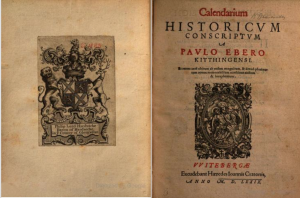
One of the first elements that one may notice when analyzing the online surrogates of Calendarium Historicum Conscriptum is that facsimiles on platforms such as Google Books can be adjusted so that the format is nearly identical to the layout of the pages in the physical text. The default setting for Google Books features one page at a time, forcing readers to either scroll down to reach subsequent pages or click arrows in the top right corner of the screen in order to continue onto the next page. However, the grey toolbar at the top of the page allows readers to switch the orientation of the pages so that the screen shows two at a time, thus mimicking the way in which the text’s audience may view it in-person.

As the Calendarium is a polyglot calendar that contains month names in different languages depending on whether the page is on the right or left side, the orientation of the text is integral to one’s understanding of the content. Viewing the text one page at a time would likely leave readers wondering why certain pages include Attic Greek and Hebrew month names while others include Latin, Macedonian, and Egyptian month names; the complex (yet organized) layout that Eber established while writing this text would likely be lost upon those who could not view it in the standard format. Thus, I find it advantageous that Google Books allows readers to adapt the orientation of the text so that it can be read the way that Eber intended.
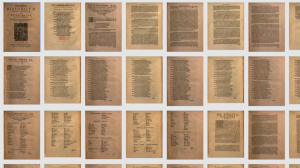
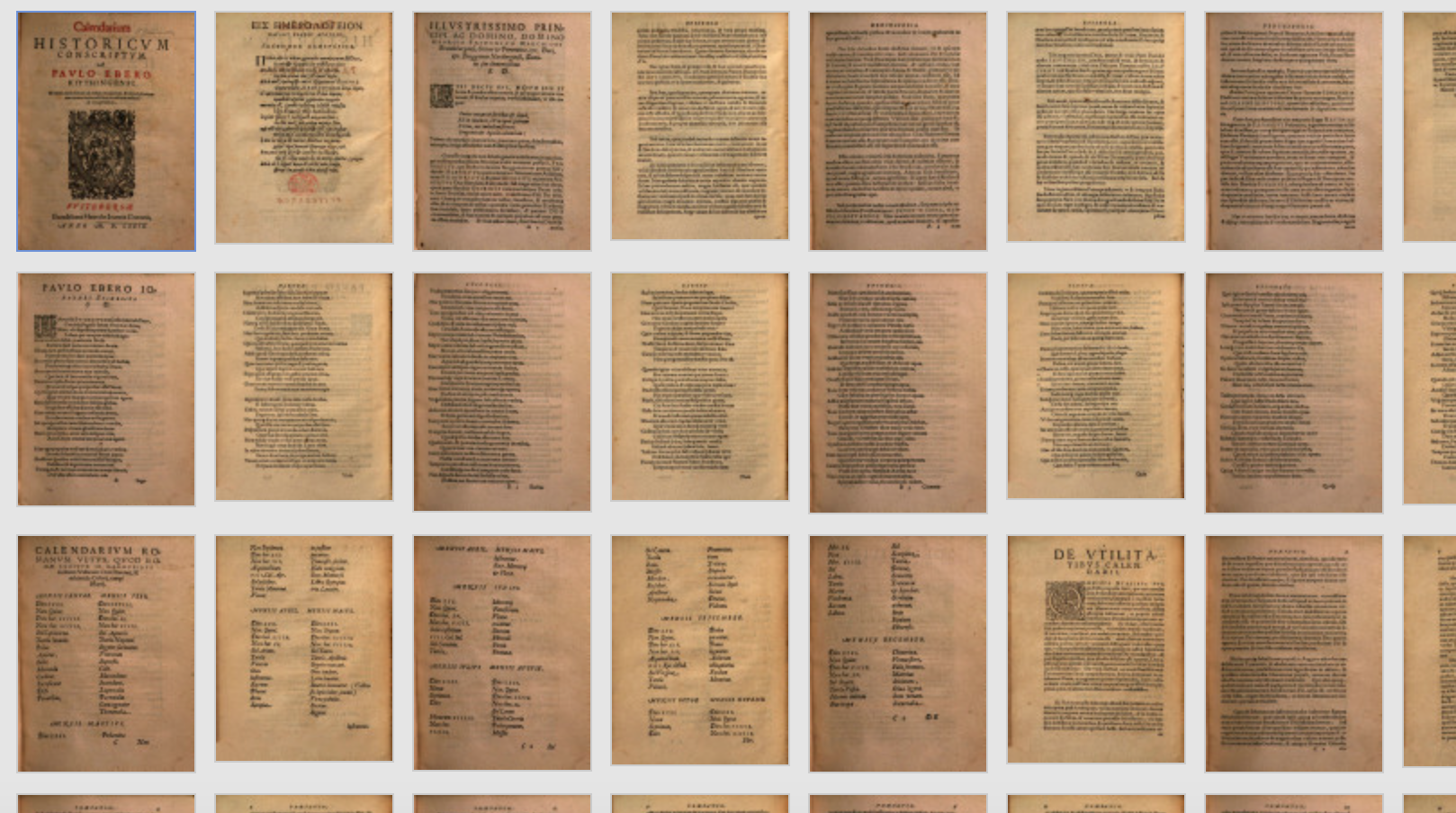
Another helpful feature in the toolbar of Google Books is the “thumbnail” button, which exhibits approximately fifty pages at once– each a small image appearing across the screen from left to right in chronological order. Though this feature may seem relatively unuseful at first, it drastically lowers the time it takes for readers to find various additions that appear at different points throughout every version of the book. For example, one singular chart within the Calendarium requires readers to flip the entire book horizontally in order to read it properly; though this diagram exists in all the facsimiles that I have found, it does not appear on the same page each time. For this reason, getting a “birds-eye-view” of the pages through the thumbnail feature can be quite helpful for readers searching for a particular portion of the text.
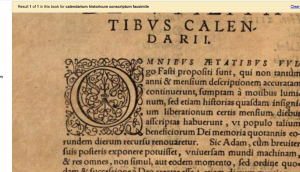
Of course, I would be remiss not to mention features such as the “zoom-in” button (once again located in the top toolbar of Google Books and signified by outward-pointing arrows or a magnifying glass icon on most other online platforms); this feature allows readers to enlarge portions of the text as many as five or six times, revealing a level of detail that would otherwise be unavailable to an online audience. In person, while examining the brown fibers that comprised the pulp used to create the paper in my Pet Book, I was forced to use a magnifying glass or prism; however, accessing online surrogates allowed me to magnify pages with the simple click of a button– albeit at the cost of some crispness and clarity. A similar feature located in the Google Books tool bar is a button depicting a pair of scissors, which allows readers to screenshot squares of text and then copy their corresponding hyperlink so that the image can be shared via iMessage, email, or other social media platforms. While visiting the Calendarium in person forced me to write down the page numbers of areas that I wanted to examine further (a task that became quite difficult when I realized that Colby’s copy of the text does not have a paginated Preface or Dedicatory Epistle), taking screenshots of the pages was an efficient way to keep tabs on the sections of text that I wished to analyze in my Pet Book blog entries (such as this one).
Section 2: Navigational Tools
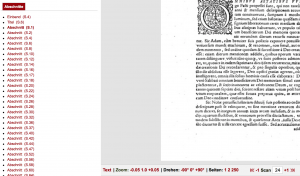
The facsimiles of the Calendarium located on both Google Books and Bayerische StaatsBibliothek Digital include hyperlinks that make searching for specific sections of the book much faster. Appearing at the bottom of the screen on the former platform and to the left of the screen in the latter, a list of section headers is provided, each linked to a specific page in the text (ex: the start of the month of January or the first page of the Preface) so that readers can easily access any part of the book they need. One of the salient features of this the Calendarium is that it is naturally split into sections based on the month, but only differentiates between sections using changes in font size (which can be easy to miss while leafing through physical copies); the hyperlinks remove the need to flip through the text, instead taking readers to the exact page they are looking for. I found it pleasantly surprising that the page numbers of the books were synchronous with the facsimiles online— yet another feature that makes the online experience a little closer to in-person visits.
*Note on the Index: The Google Books copies of Eber’s text also include hyperlinks in the Index that direct readers directly to the page numbers where various terms are located once the reader clicks on them. However, the facsimiles on Bayerische StaatsBibliothek Digital do not include this navigational tool.
On the Disadvantageous Features of Online Adaptations
Though the developers of library sites tend to use the aforementioned features and navigational tools to ease the reader into the two-dimensional reading experience, online facsimiles have their limits– some of which impede readers from gaining a full understanding of the book’s paratextual elements (which, as we have learned in class, can completely alter one’s perception of the text as a whole).
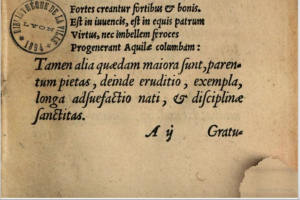
In Google Books’ 1559 version of the Calendarium, one of the most blaring “problem-areas” is in the pixelation of the bottom outer corners of each page. While the majority of each page can be seen clearly by the reader, a circular region at the bottom of every single page appears fuzzy, as if the individual pixels forming the image were scrambled in the process of scanning. I am unsure as to what caused the exact nature of the image error; I can only guess that an area of the scanner was smudged, or that someone shook the book in the process of creating the facsimile. Nonetheless, the error is quite noticeable.
It’s also important to mention that though the online versions of the Calendarium depict relatively clear images of the text, nothing beats being able to hold specific pages up to the light or under a magnifying glass in order to determine the cause of stains or identify fragments of thread that appear throughout the book. A really interesting image of page 359 in the 1559 facsimile depicts what looks to be a curled black hair in the gutter of the text; however, without in-person examination, the page is not clear enough to determine whether or not the “hair” is actually a mark made by a stray quill, or the remanent of an old bookmark sewn into the binding. Similarly, page 292 contains what appear to be burn marks (deep brown spots appearing on the page), but upon closer examination, might just be ink blots. Though the digital copies of the Calendarium make reading the text quite easy, they complicate the process of examining the book’s wear and use (a crucial portion of most bibliographers’ analyzation process).
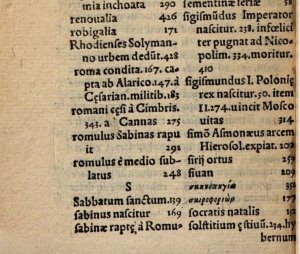
Another issue with the digital surrogates I found is that oftentimes, the process of scanning the text caused the margins or gutters of each page to be cut off, thus limiting my view of the book’s binding, margins, and outer corners. On one of the digital copies, the right edge of one of the Index pages appears to be swallowed by the gutter; however, it is impossible for me to tell whether this was a result of a bad scan or a sloppy binding job (a factor which could have affected the price of the book, had the binding been made cheaply). Another factor that likely affected the cost of the text was the quality of its paper– which, obviously, one cannot feel through the screen of a computer. The size of the book is also lost when creating a digital surrogate– a paratextual element typically utilized to gain a general understanding of 1) how expensive this book would have been, and 2) what purpose this book may have served. The 1559 copy at Colby College is almost pocket-sized; clearly, Eber and Rhau intended the book to be portable so that its annotators could write notes in the blank areas of each page. However, it is quite difficult to say the same of the digital books unless virtual rulers are placed alongside of them (or the size is listed in the online descriptions that typically accompany online surrogates).
On the Continued Character of Digital Surrogates
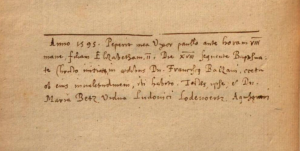
While analyzing the digital surrogates of the Calendarium, it became abundantly clear that some paratextual elements of the text would be lost as the book changed dimensions; however, the transformation of the book from 3-D to 2-D did not strip the text of all its unique character. Neatly-written annotations are visible throughout the 1559 copy of the text, and a rather large ink stain on pages 193 to 194 of the same copy remind us that even those who were practiced in calligraphy spilled their ink jars sometimes.
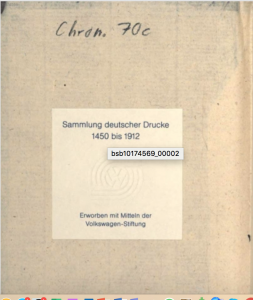
Underlining throughout the two-columned Index demonstrates that a previous reader referenced various words and attempted to mark them for later use, and a cream-colored bookplate pasted to the inside of one of the Bayerische Staats Bibliothek facsimiles marks claims (in German) that the text is part of a “Collection of German prints from 1450 to 1912,” and that it was “acquired by the Mittein Volkswagen Foundation.”These are just some of the aspects of each digital facsimile that relay the uniqueness of the text to the reader even through the computer screen– emphasizing that the “aura” of analyzing a heavily-used antiquarian text does not necessarily have to come with holding the book in person.
Sources:
https://reader.digitale-sammlungen.de/de/fs1/object/display/bsb10174569_00114.html
https://books.google.com/books?id=CghNAAAAcAAJ&printsec=frontcover#v=onepage&q&f=false
https://reader.digitale-sammlungen.de/de/fs1/object/display/bsb10152778_00035.html