Cost Distance (Knight) Tool
Download the 32-bit XP version of the Cost Distance toolbox or the 64-bit Windows 7 version .
Currently, the tool will only work with a limited raster size. Generally, the tool will work with rasters having the number of non-null cells less than 50,000,000. The scripts are written in Python 2.5 but the underlying “engine” is written in Python. There are two compiled versions: 32-bit XP and 64-bit Win7. If you need to run the tools on a different platform you can compile the *.f90 codes using a compiler such as the opensource gfortran.
This customized toolbox contains two tools (scripts):
- Cost Distance (rook, bishop, and knight)
- Shortest Path
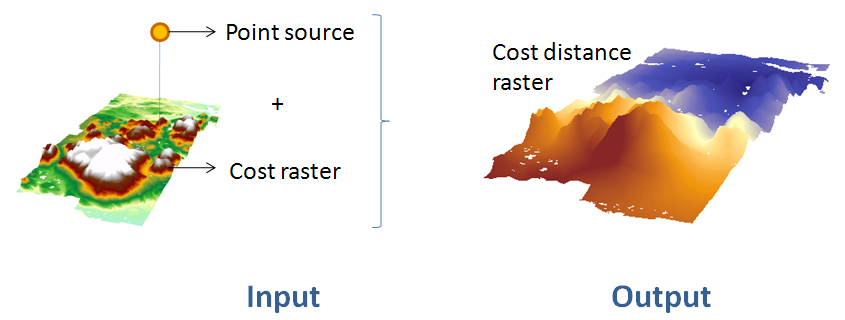
The Cost Distance tool computes the accumulative cost distance from a point source to all cells defined by a cost raster layer. This tool will only accept a single point as source.
In addition to an accumulative cost distance raster, the tool generates a backlink raster that can be used by the Shortest Path tool.
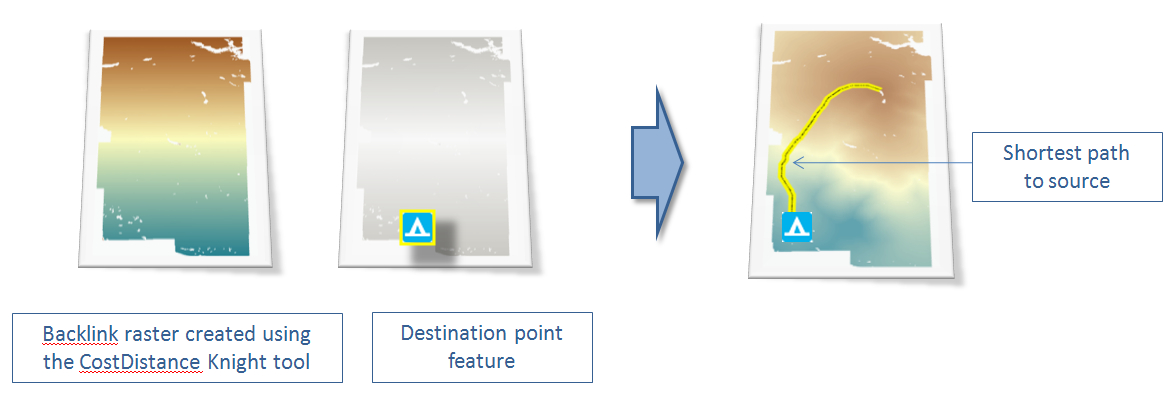
The Shortest Path tool generates a shortest distance polyline between a destination and point source. It requires the use of the backlink raster created by the Cost Distance tool locate in the same toolbox. NOTE: this backlink raster cannot be used with ArcGIS Distance tools because of incompatible data structure. Likewise, a backlink raster created from ArcGIS’s Distance tools cannot be used with this customized tool.
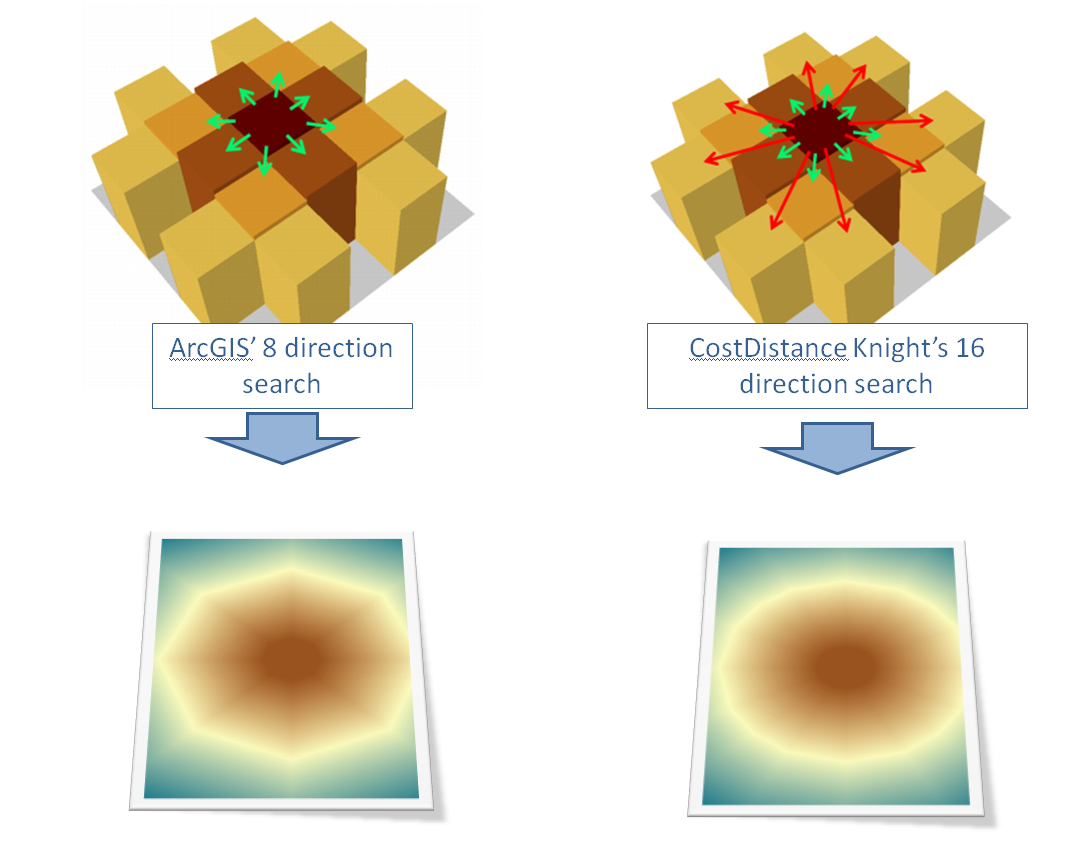
This cost distance tool differs from ArcGIS’ Spatial Analyst Cost Distance tool in that 16 search directions are used instead of 8. Whereas ArcGIS uses a “rook” and “bishop” search pattern, this tool uses a “rook”, “bishop” and “knight” search pattern. The additional search directions increases the accuracy of the resulting accumulative cost distance—albeit at a greater computational cost.
In the following figure, a uniform cost raster (i.e. one whose cells have equal costs) is used to create two accumulative cost distance rasters—one using ArcGIS’ Cost Distance tool, the other using the customized “Knight” cost distance script. The resulting accumulative cost distance raster show a pentagon pattern (ArcGIS’ 8 direction search) and hexadecagon pattern (this tool).
Case study
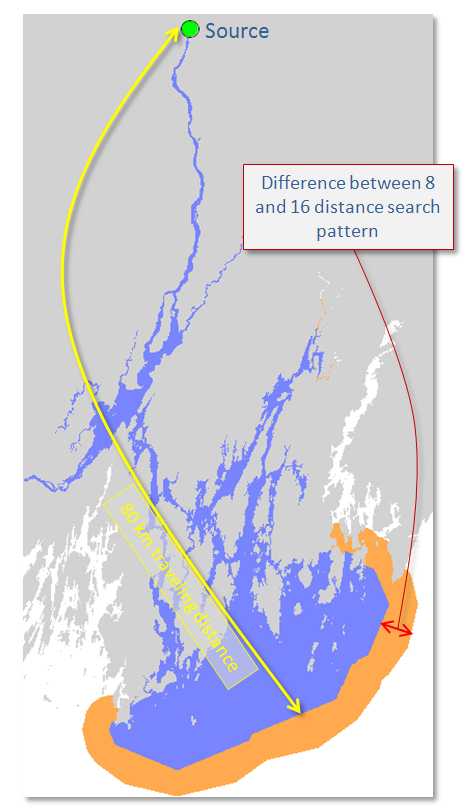
The difference in accuracy between and 8 and 16 direction search pattern is depended on the underlying cost raster layer. For example, when identifying the waterway area covered within a 20 km traveling distance from the source (i.e. if you could travel only 80 km from a point, what waterway area could you cover) using both Cost Distance tools, the 8 direction search path (blue) underestimates the area covered by 27% compared to the 16 direction Costa Distance tool.
You can download the source dataset here.